HealthLumio
 Press Kit
Everything you need to write about HealthLumio: facts, features, quotes, copy-ready descriptions, plus logo, Lumi and screenshots to download.
Press inquiries, interviews and questions
info@patrickrathjen.com – we usually reply within 48 hours.
At a glance
| App name | HealthLumio |
|---|---|
| Tagline | Your health. Calmly in view. |
| Current version | 1.3.3 (November 19, 2026) |
| Released | October 14, 2026 |
| Category | Health & Fitness · Rated 4+ |
| Platforms | iPhone, iPad, iPhone Duo and Apple Watch (native app); widgets on the Mac, too |
| Requirements | iOS 26 / iPadOS 26 / watchOS 26 |
| Languages | English, German, Czech, Danish, Dutch, Finnish, French, Italian, Japanese, Korean, Norwegian, Polish, Portuguese, Spanish, Swedish |
| Price | Free – every feature, no ads, no subscription. Optional tips as in-app purchases that unlock nothing. |
| Data source | Apple Health, read-only – HealthLumio never writes to Apple Health |
| Privacy | No account, no server, no ads, no tracking. Health data is processed on the device only – unless you turn on ChatGPT or Gemini with your own key for “Ask Lumi”. |
| Rating | 4.9 out of 5 stars on the German App Store (9 ratings, as of November 15, 2026) |
| Developer | Patrick Rathjen · Studio Rathjen, Münsterdorf, Germany |
| Press contact | info@patrickrathjen.com |
| App Store | apps.apple.com/us/app/healthlumio/id6819006257 |
| Website | healthlumio.com · German: healthlumio.de |
The story
Why HealthLumio exists
In July 2024, Patrick Rathjen suffered a pulmonary embolism – the result of a thrombosis that went untreated for too long. It moved him, quite literally: he wanted to do things differently and better, and that meant truly keeping an eye on his own health data.
iPhone and Apple Watch measure a remarkable amount every day: steps, heart rate, sleep, blood pressure, weight. Apple Health often holds years of these values – yet what they mean remains unclear. There was no app that showed all of this better. So he built one himself: HealthLumio presents the data clearly, compares it fairly and puts it into context, without ever sending it off the device.
What makes HealthLumio different
- Context, not alarm: for more than 20 metrics the app shows reference ranges for healthy adults, each linked to its original source (including ESH 2023, WHO, ADA, AASM, EFSA, DGE). No advice, no diagnosis.
- Fair comparisons: the current week, month and year are compared with the previous period only up to today.
- Your own baseline: Daily form and normal ranges are based on your own values, not an average person.
- Private: no account, no server, no ads, no tracking.
- Made for every device: iPhone, iPad, iPhone Duo (closed, open and half-folded) and a dedicated Apple Watch app.
How it works
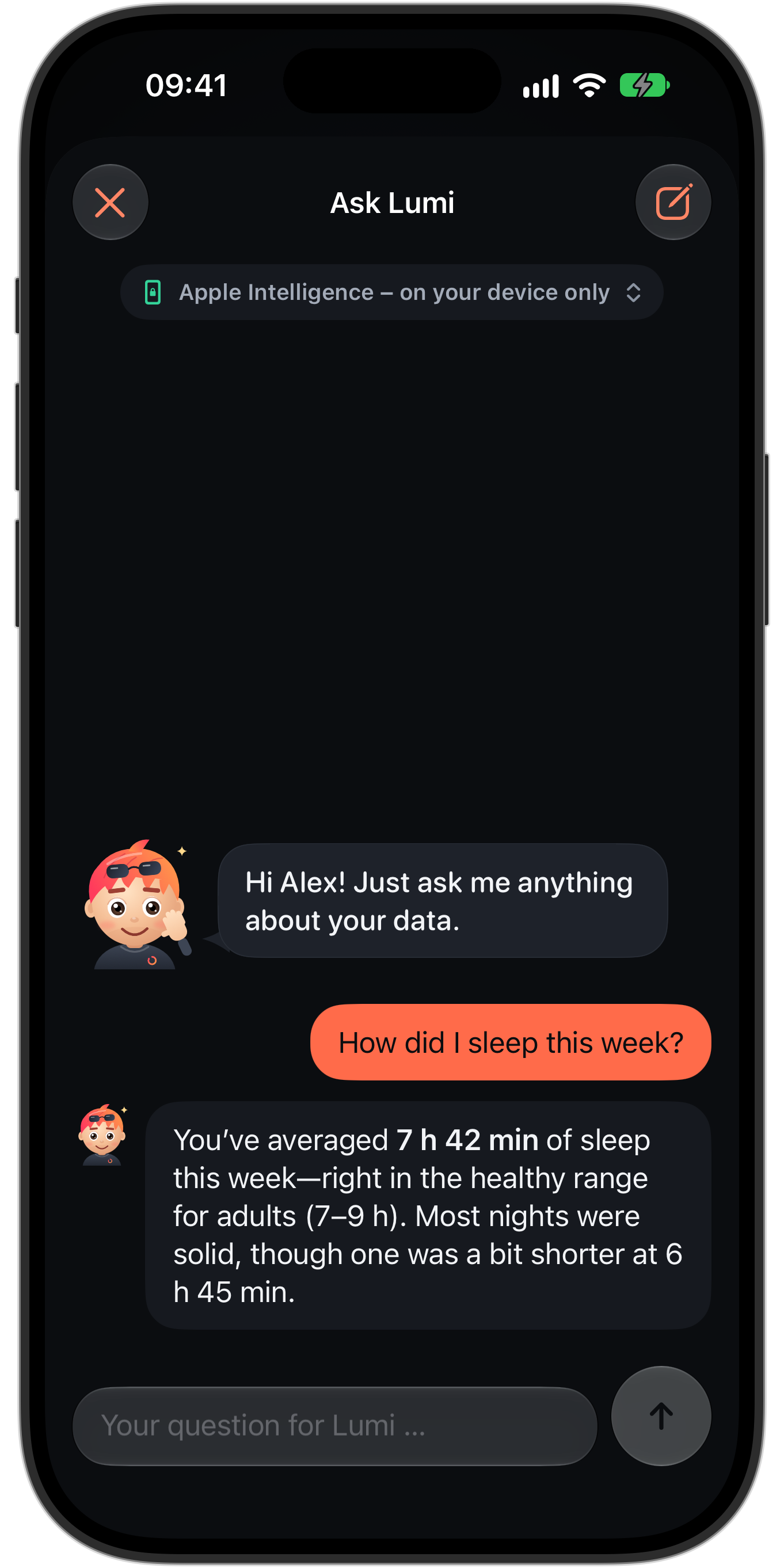
HealthLumio reads data from Apple Health and computes everything on the device. Days it has already evaluated are kept in a local, encrypted archive so that trends spanning many years appear quickly; afterwards it only reads what has changed. “Ask Lumi” answers questions about your own values with Apple Intelligence right on the device – the app does the math, Lumi only words the answer. Lab reports are recognized on the device from a scan, photo or PDF.
Features
New in 1.3Export
- Every workout as a JSON file – with zones, heart rate recovery, kilometer splits, running form and intervals
- Workouts and daily values as JSON or CSV via Shortcuts
- Automatic export after every workout, for example to iCloud Drive
- Ideal for your own analysis in a spreadsheet or with an AI assistant
New in 1.2Lab values, Daily form, Your age
- More than 60 lab values from your report – scan, photograph or pick a PDF
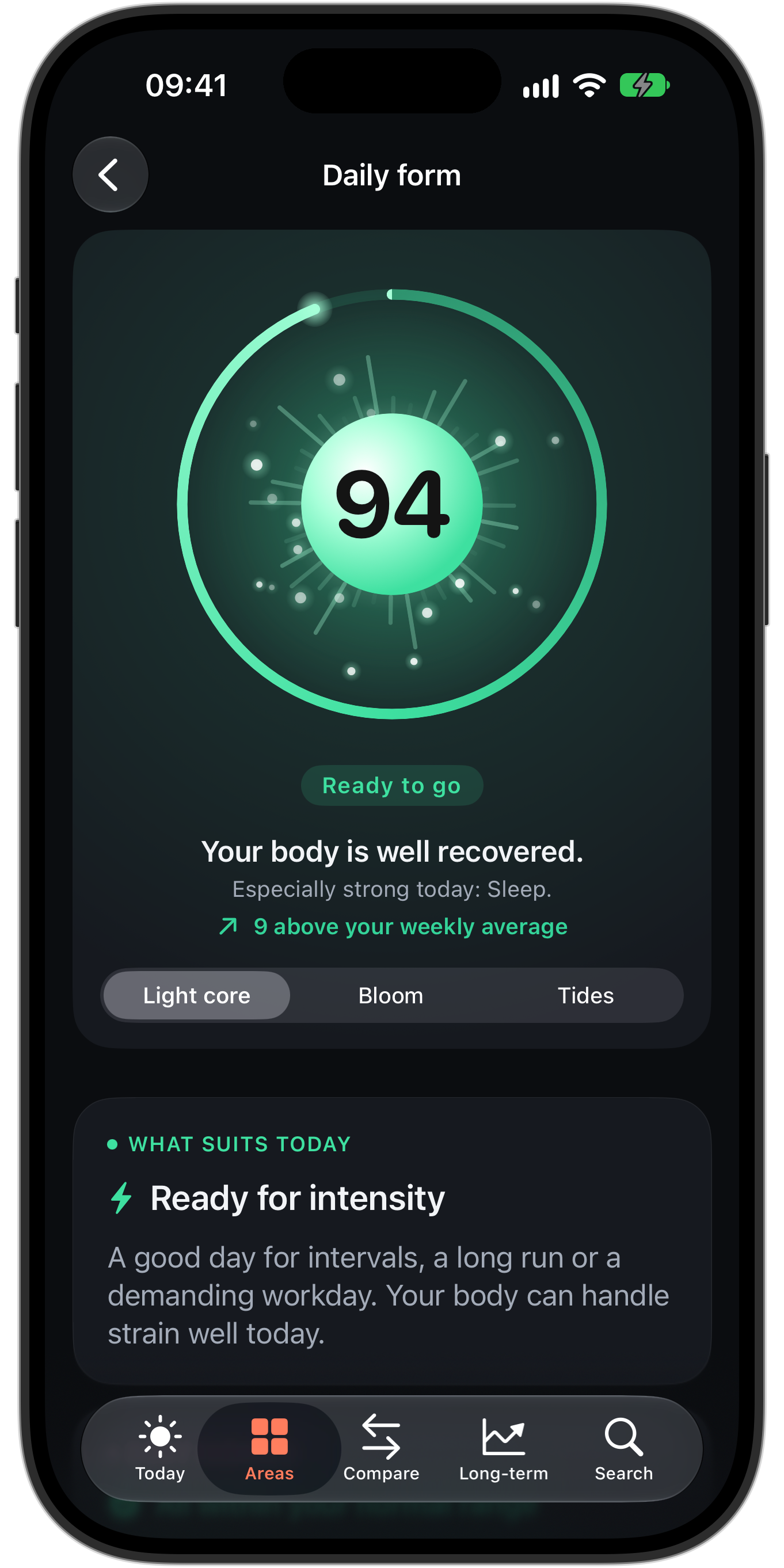
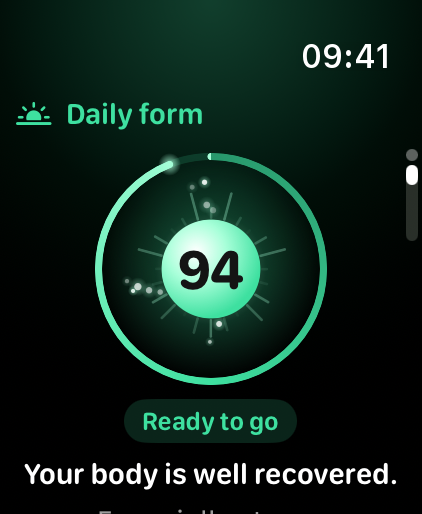
- Daily form: recovery and readiness from 0 to 100, measured against your own normal range
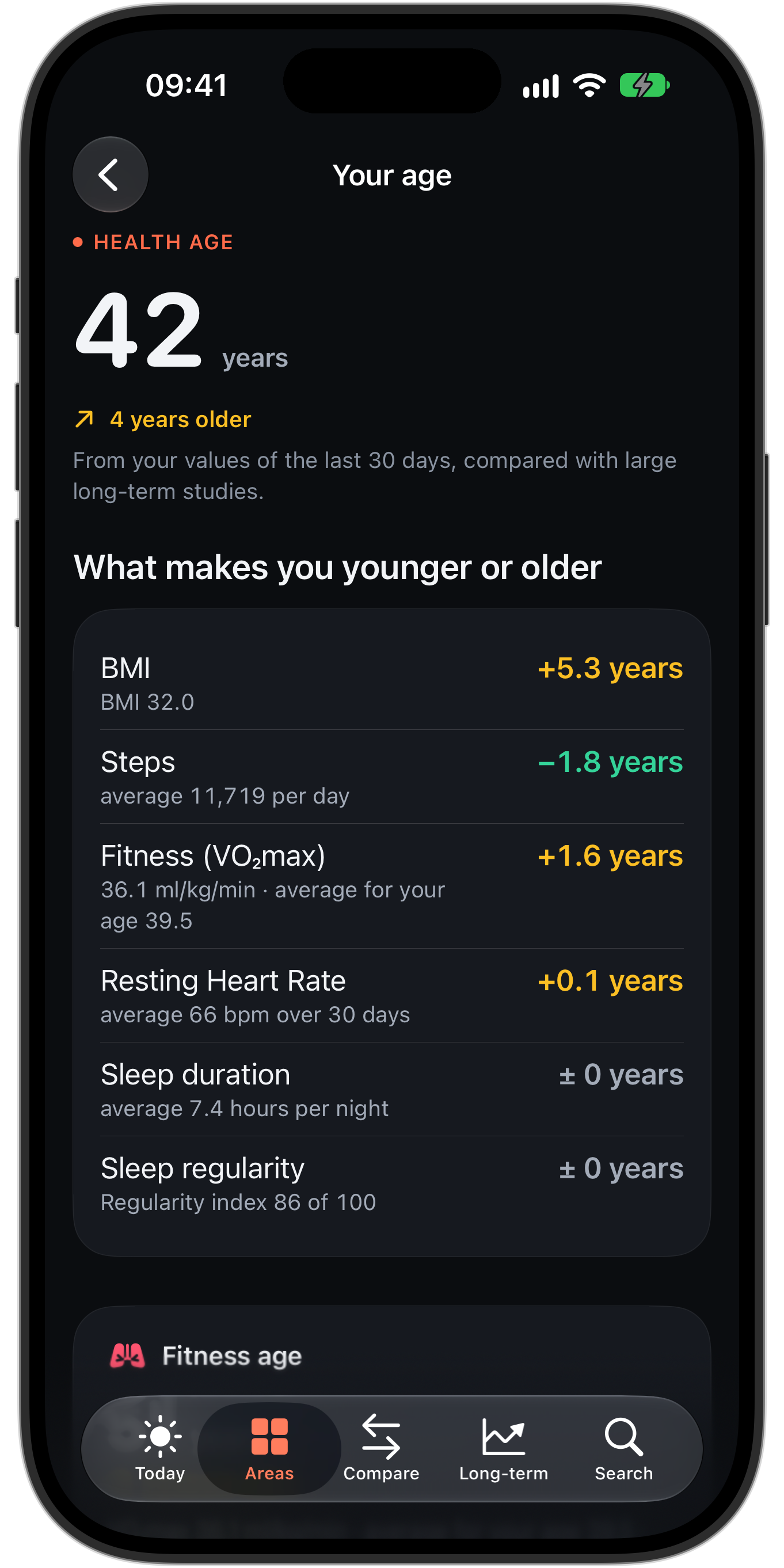
- Your age: health, fitness, heart and blood age based on large long-term studies
- Customizable “Today”, four matching Apple Watch faces
Today and every metric in detail
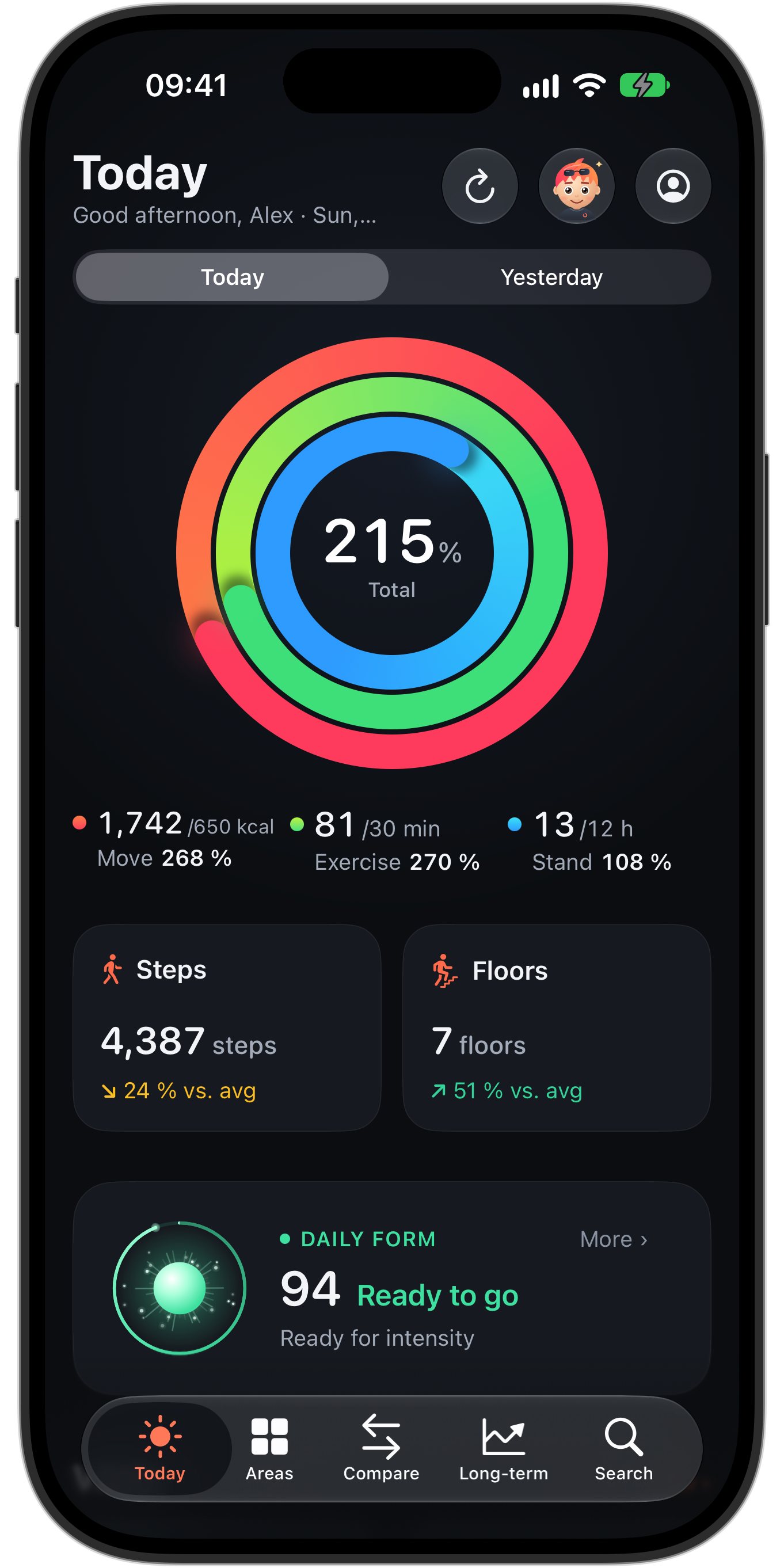
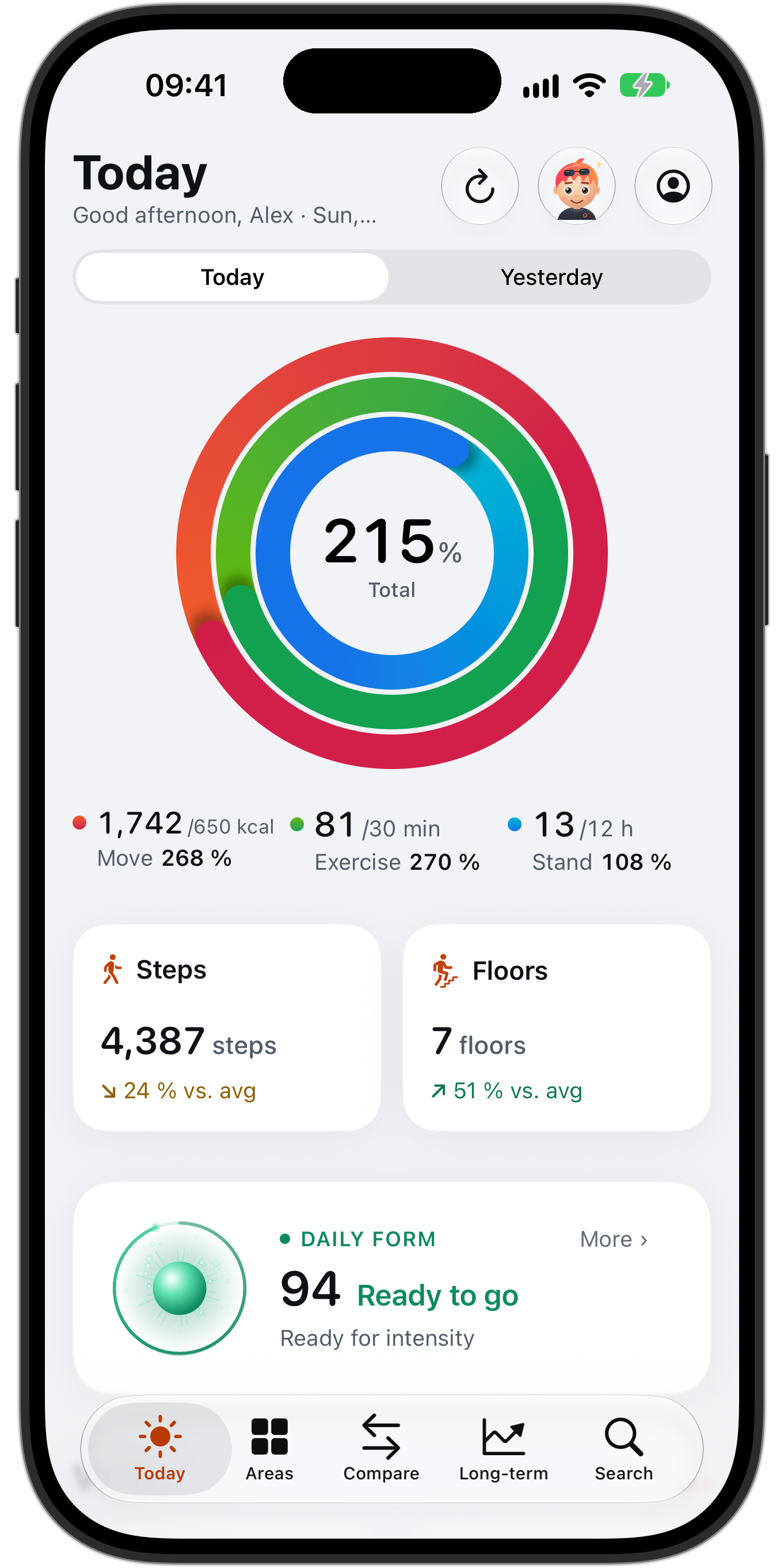
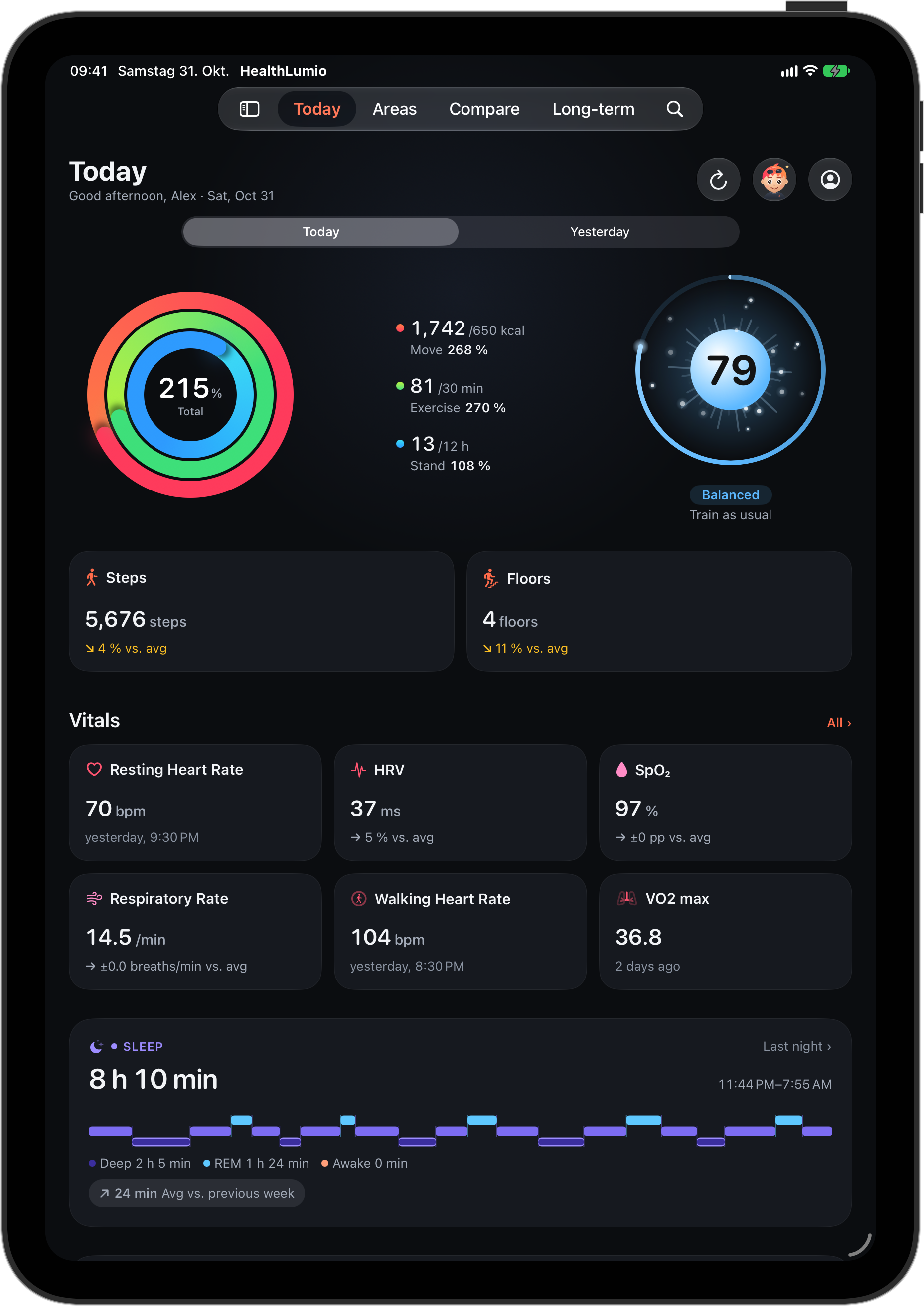
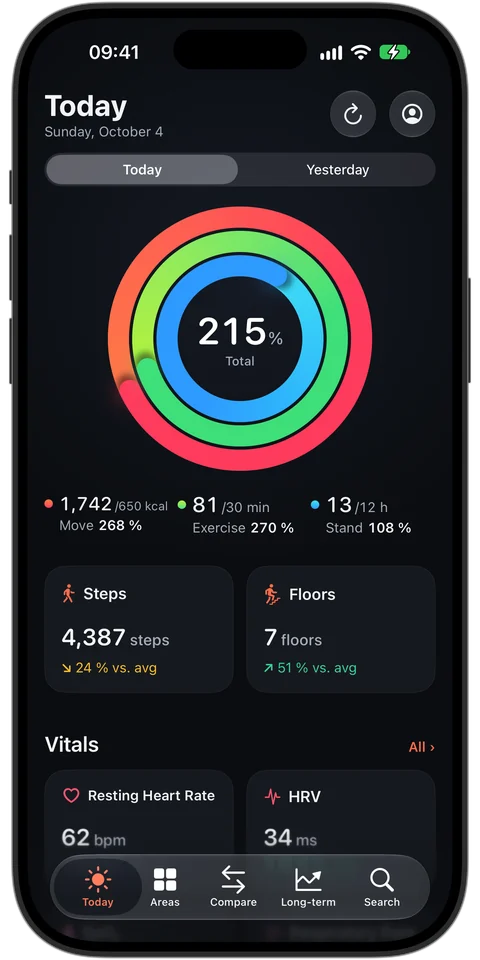
- Rings, steps, vitals and last night at a glance
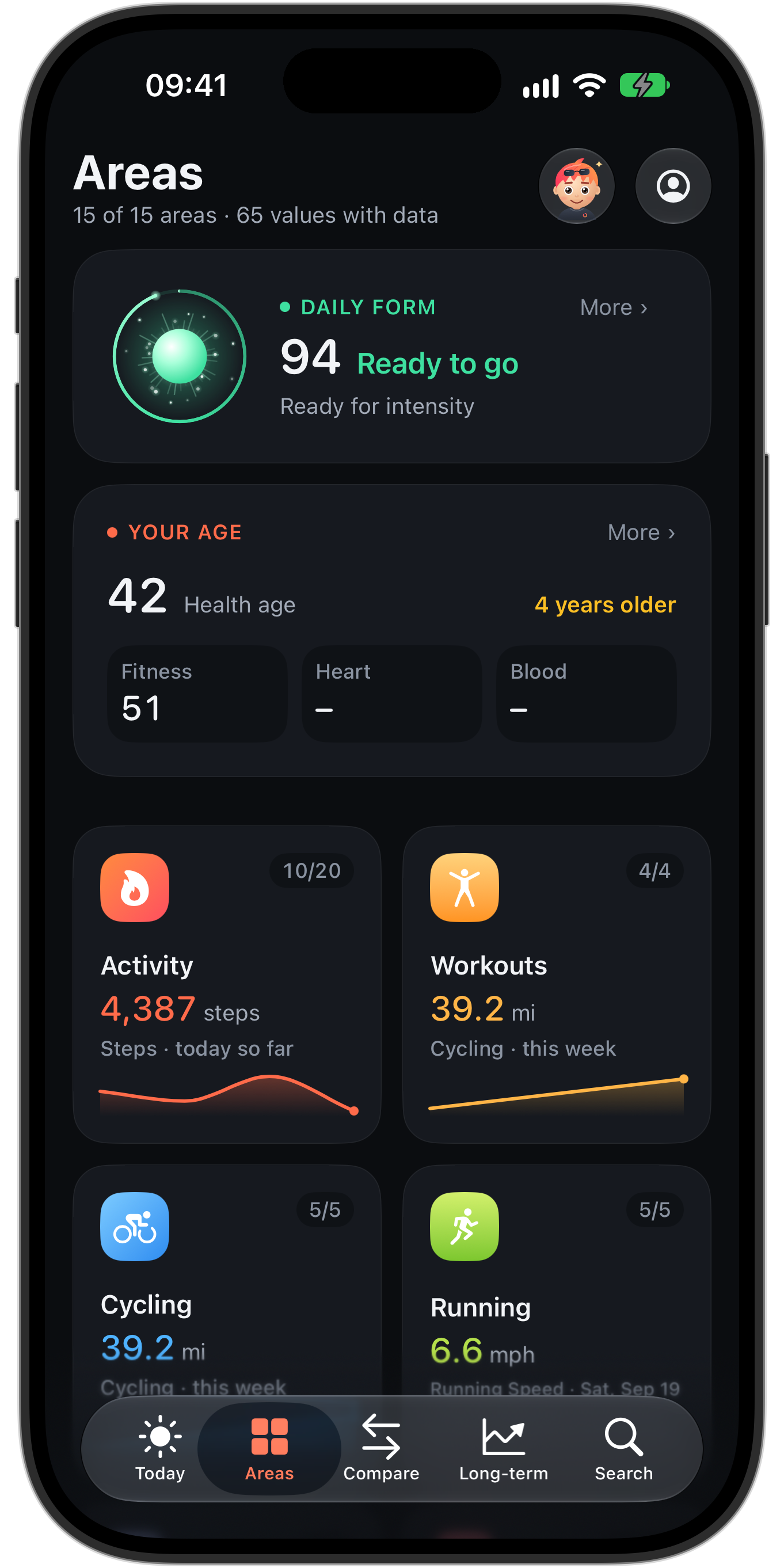
- 94 metrics in 15 areas – from heart and sleep to mobility, hearing and daylight
- Tap-and-scrub charts, from a single day to all years
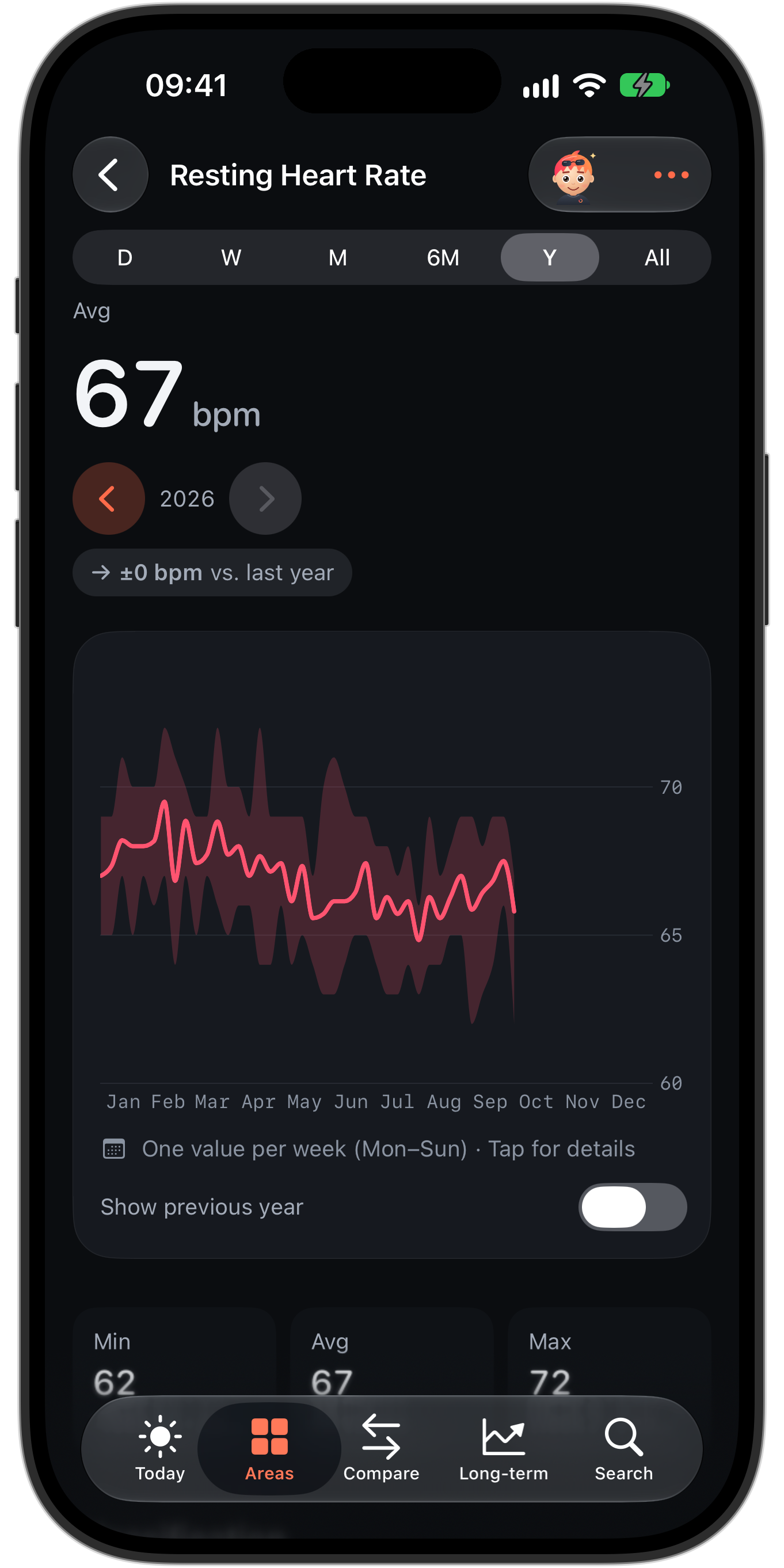
- Minimum, average, maximum, records and year-over-year comparison
Comparisons and long-term trends
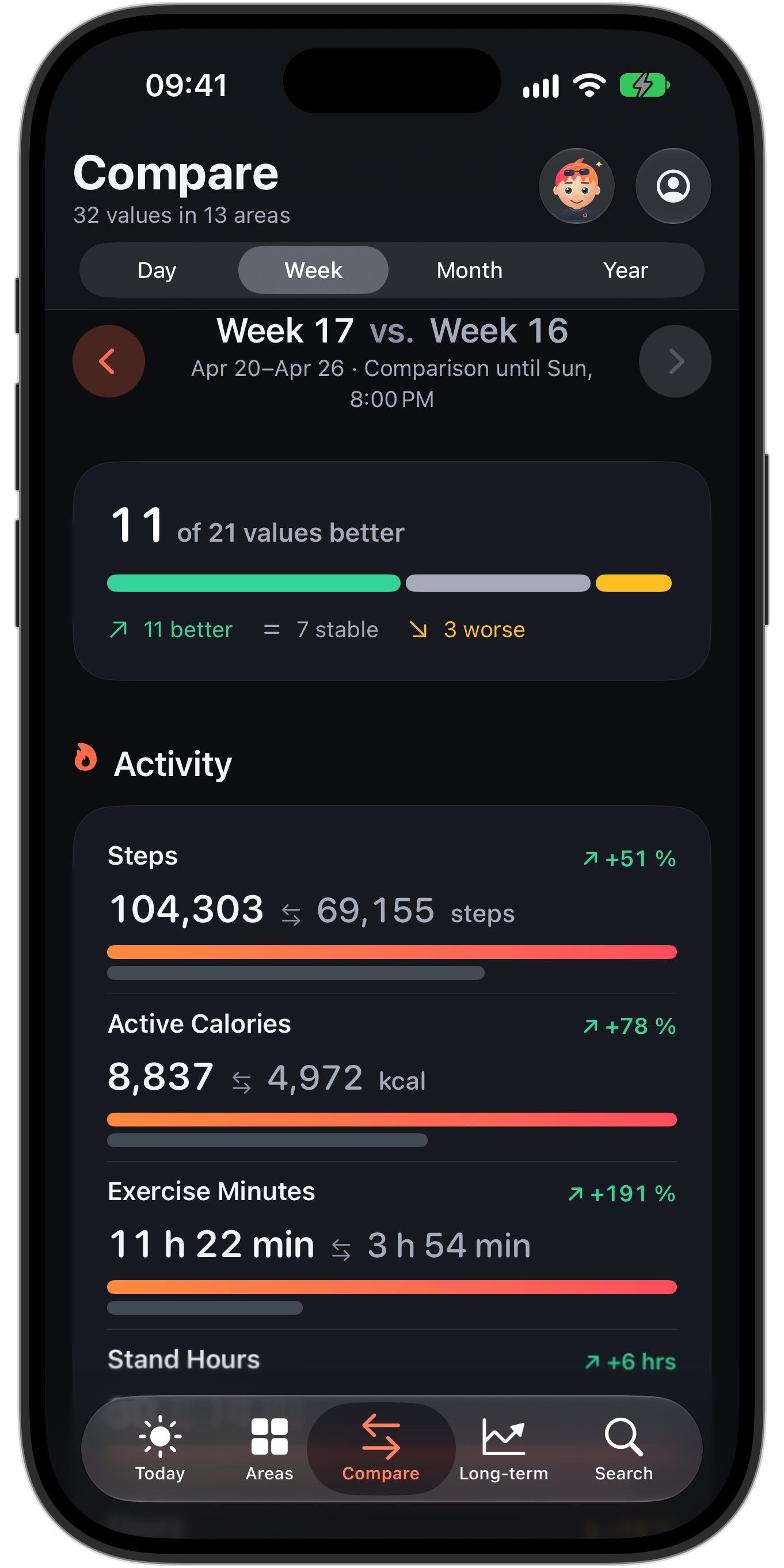
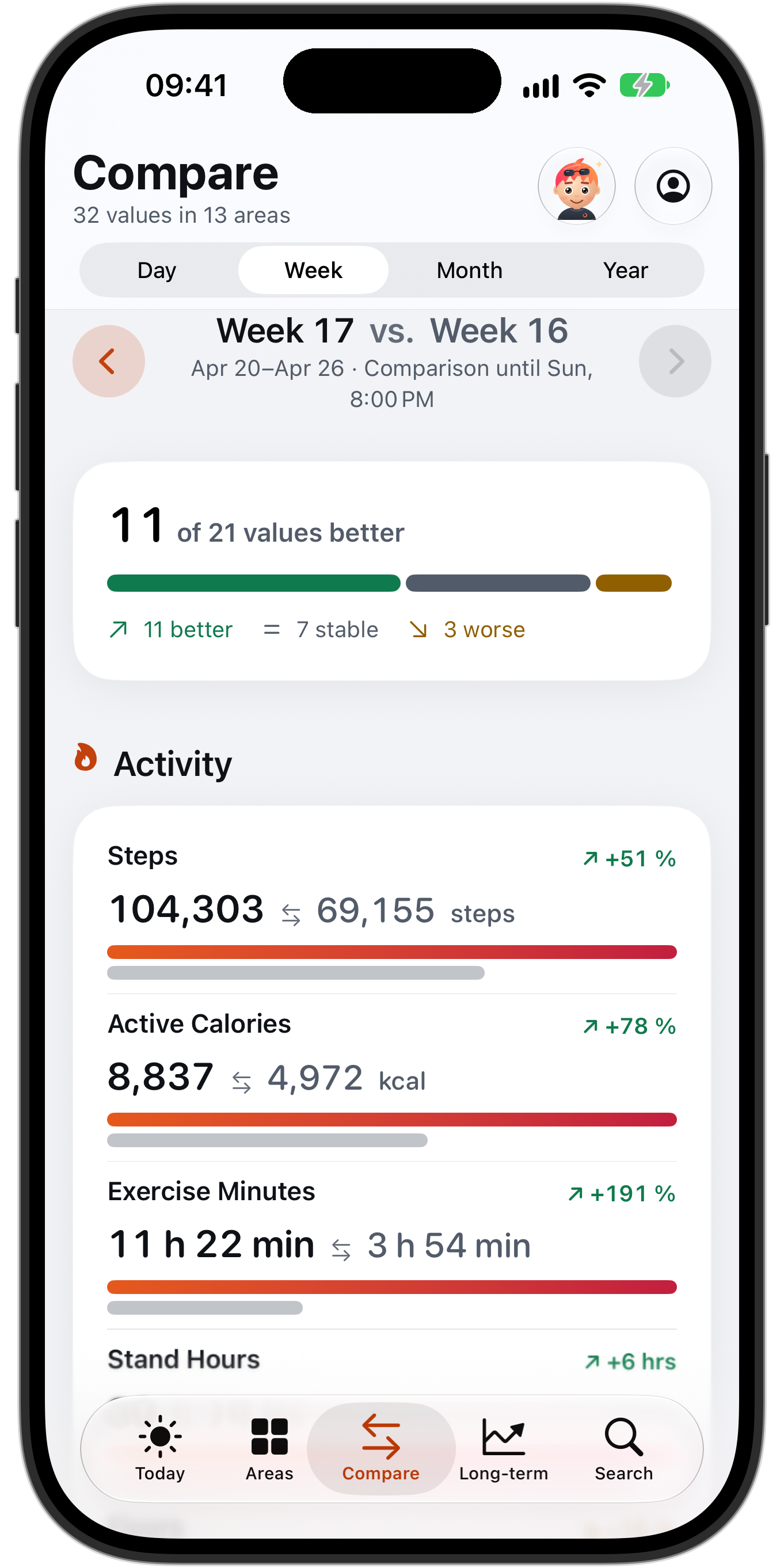
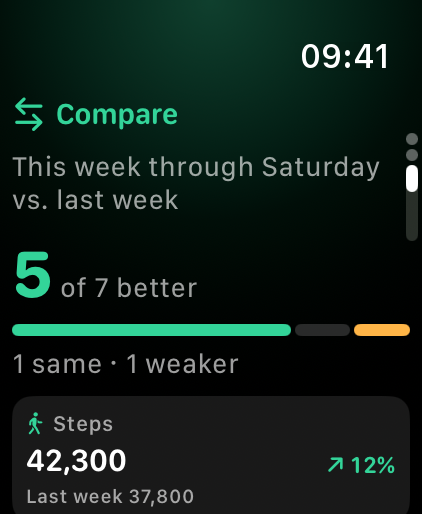
- Week, month and year against the previous period – fair up to today
- Your development over many years, as far back as your health data goes
- Overlaid yearly curves and calendar heatmaps for steps and sleep
Lumi
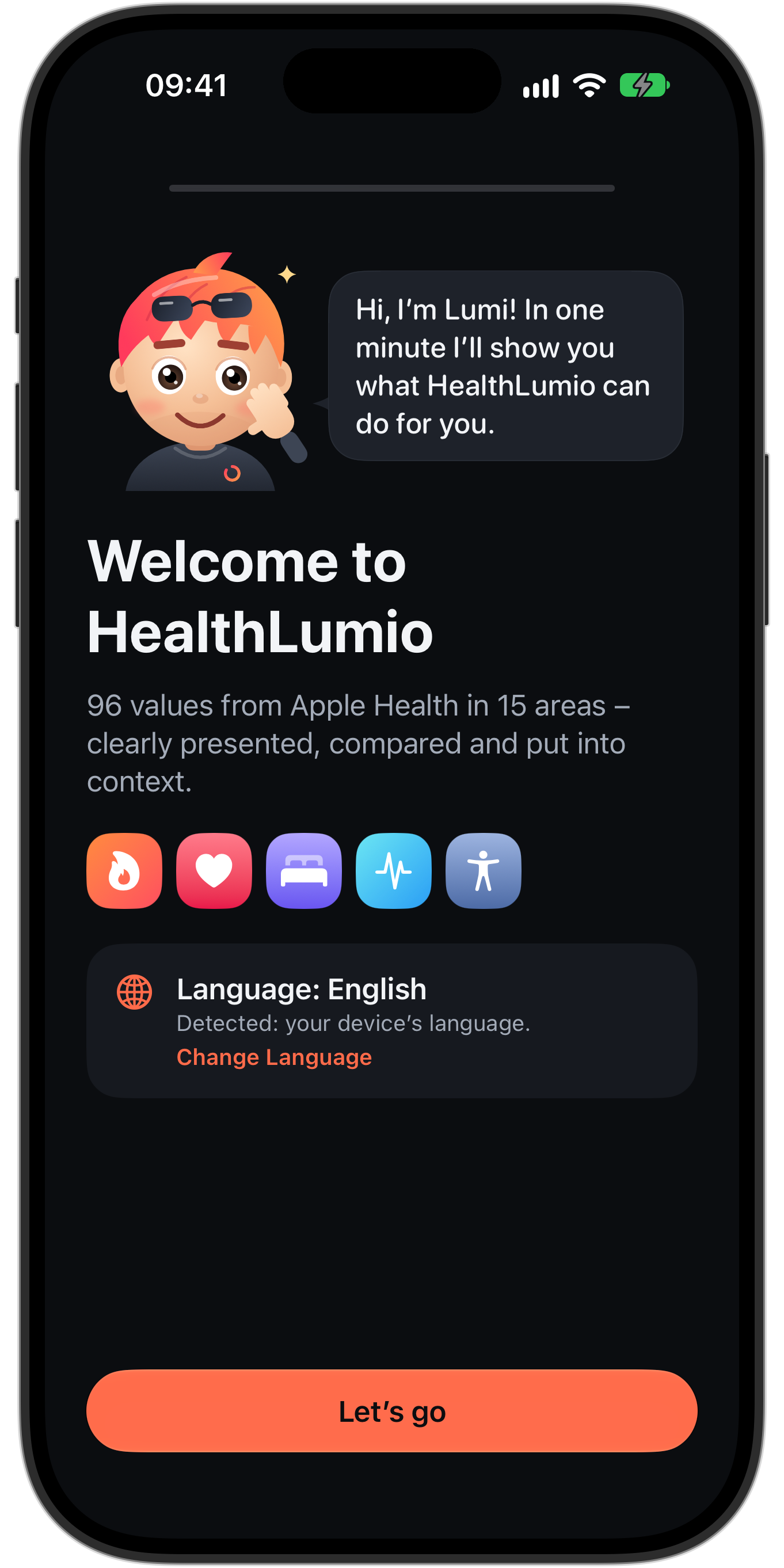
- Hand-drawn companion that guides you through setup in a minute
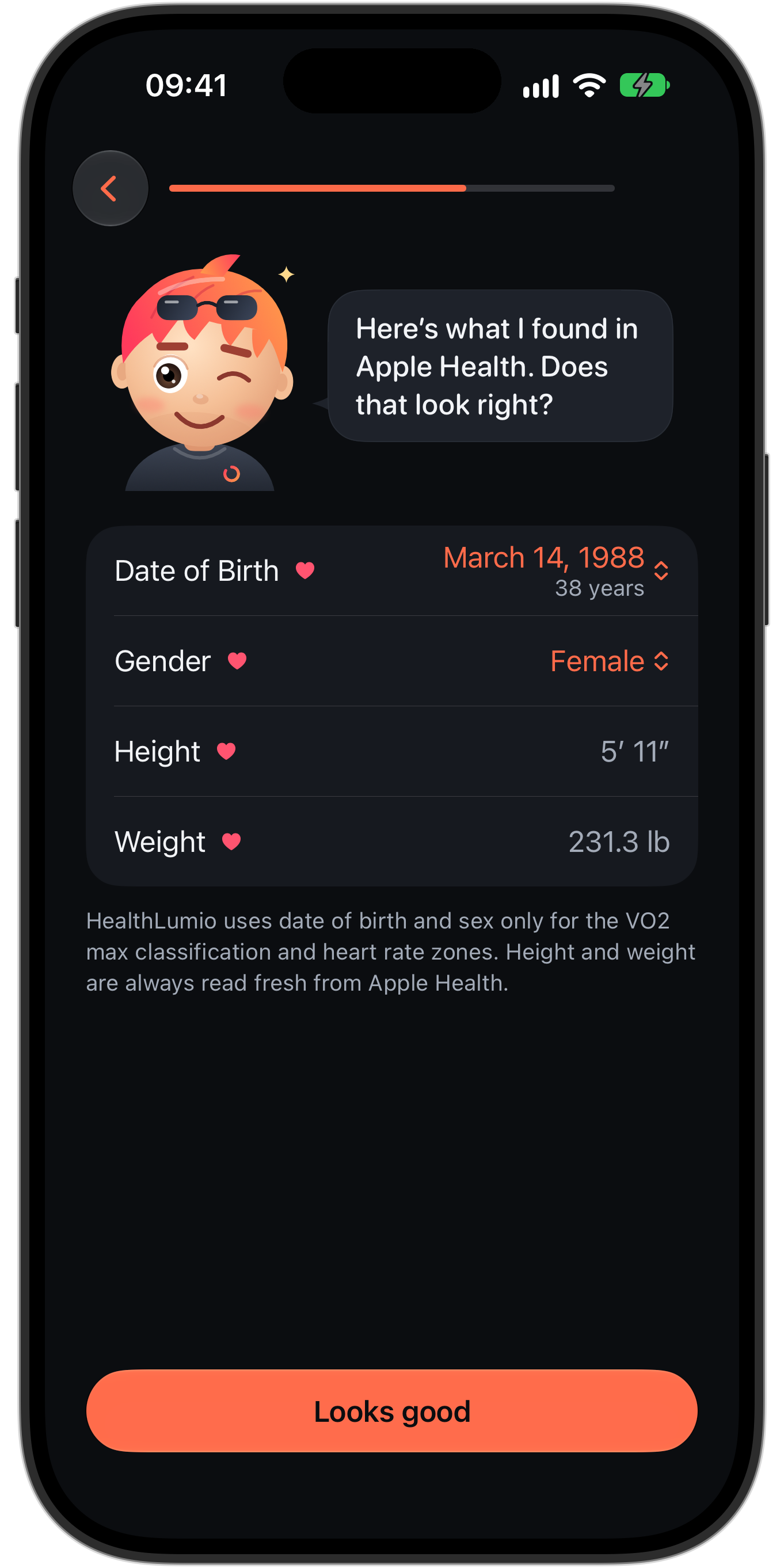
- Profile from Apple Health instead of a form
- “Ask Lumi”: answers with Apple Intelligence on the device, no cloud
- Optionally via ChatGPT or Gemini with your own key
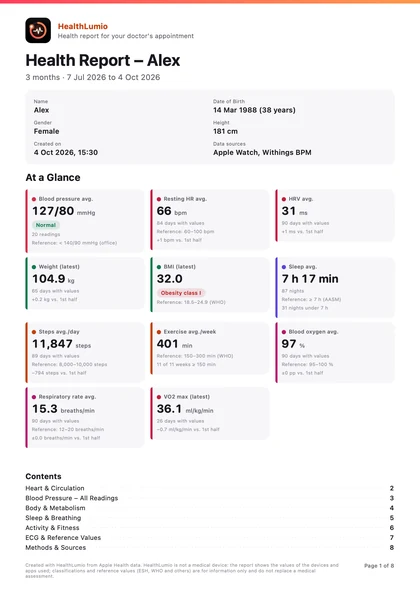
Report for your doctor
- Detailed PDF with key figures and charts on heart, body, sleep, breathing and activity
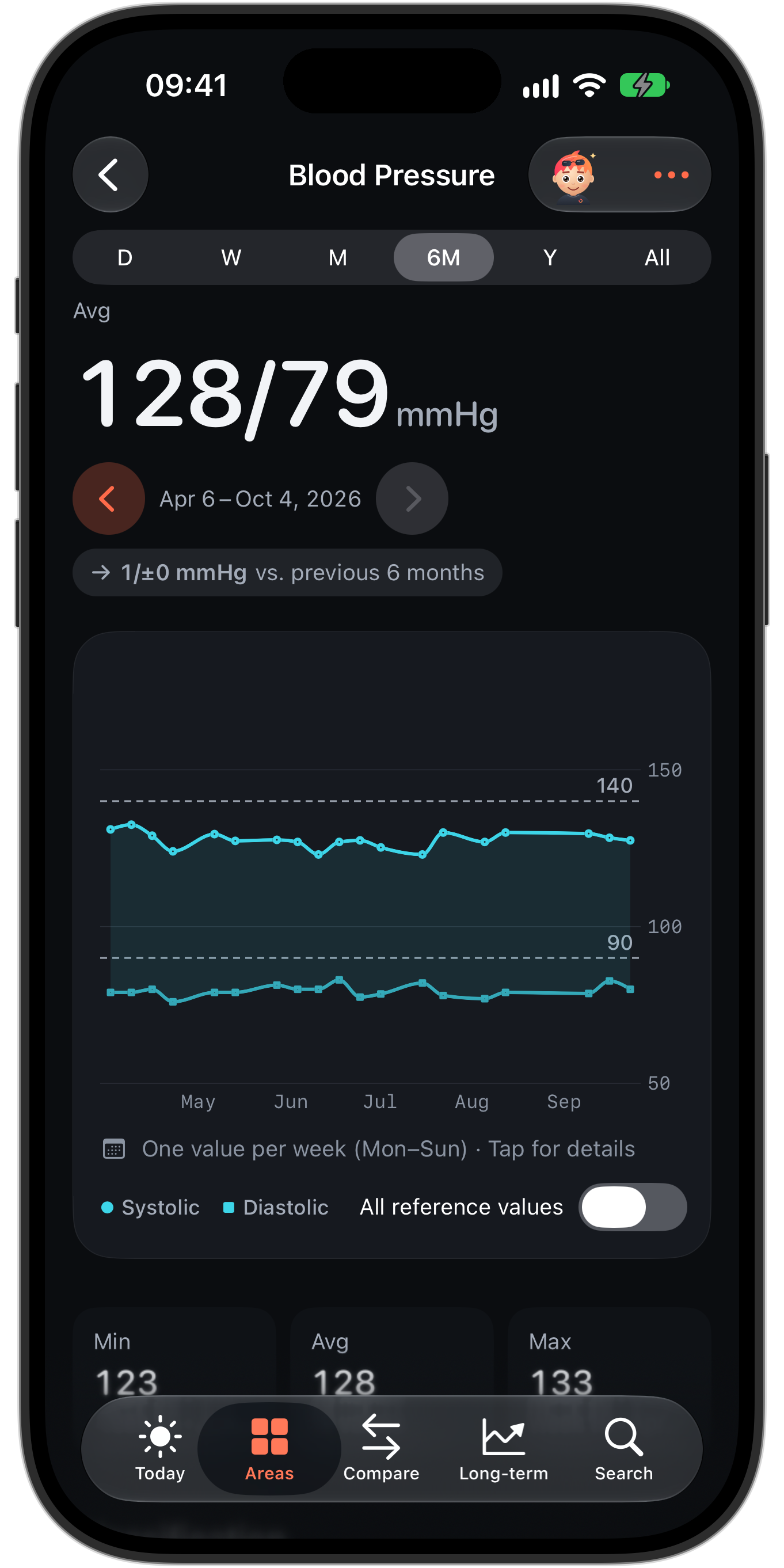
- Every blood pressure reading with its category, morning and evening separately
- Period (30 days to 12 months) and contents of your choice, created on the device only
Widgets and Apple Watch
- 15 widgets for Home Screen and Lock Screen, plus controls
- On the Mac via iPhone widgets
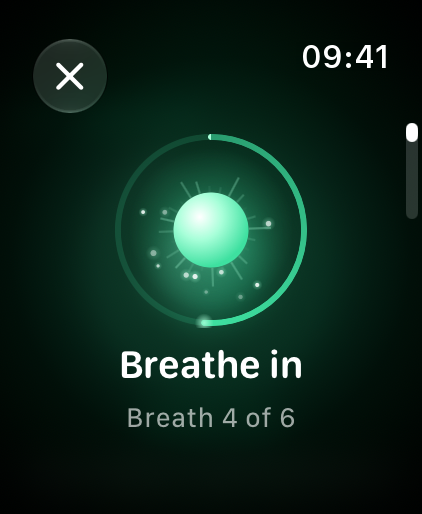
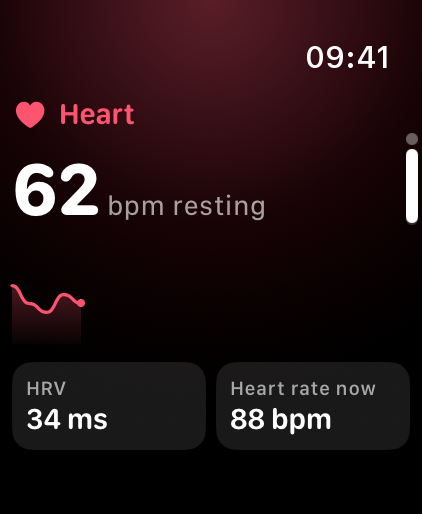
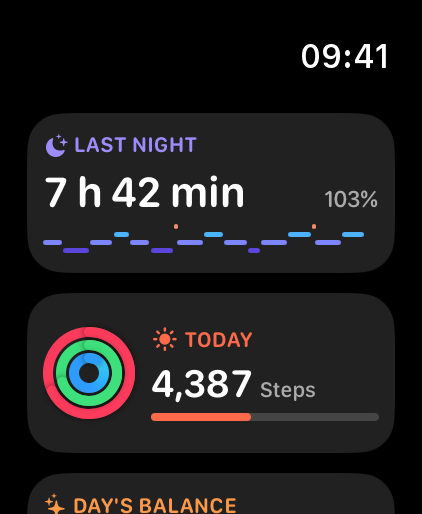
- Dedicated Watch app with Daily form and Breathe Along, Glance in the Smart Stack
- Twelve complications for your watch face
Made for everyone
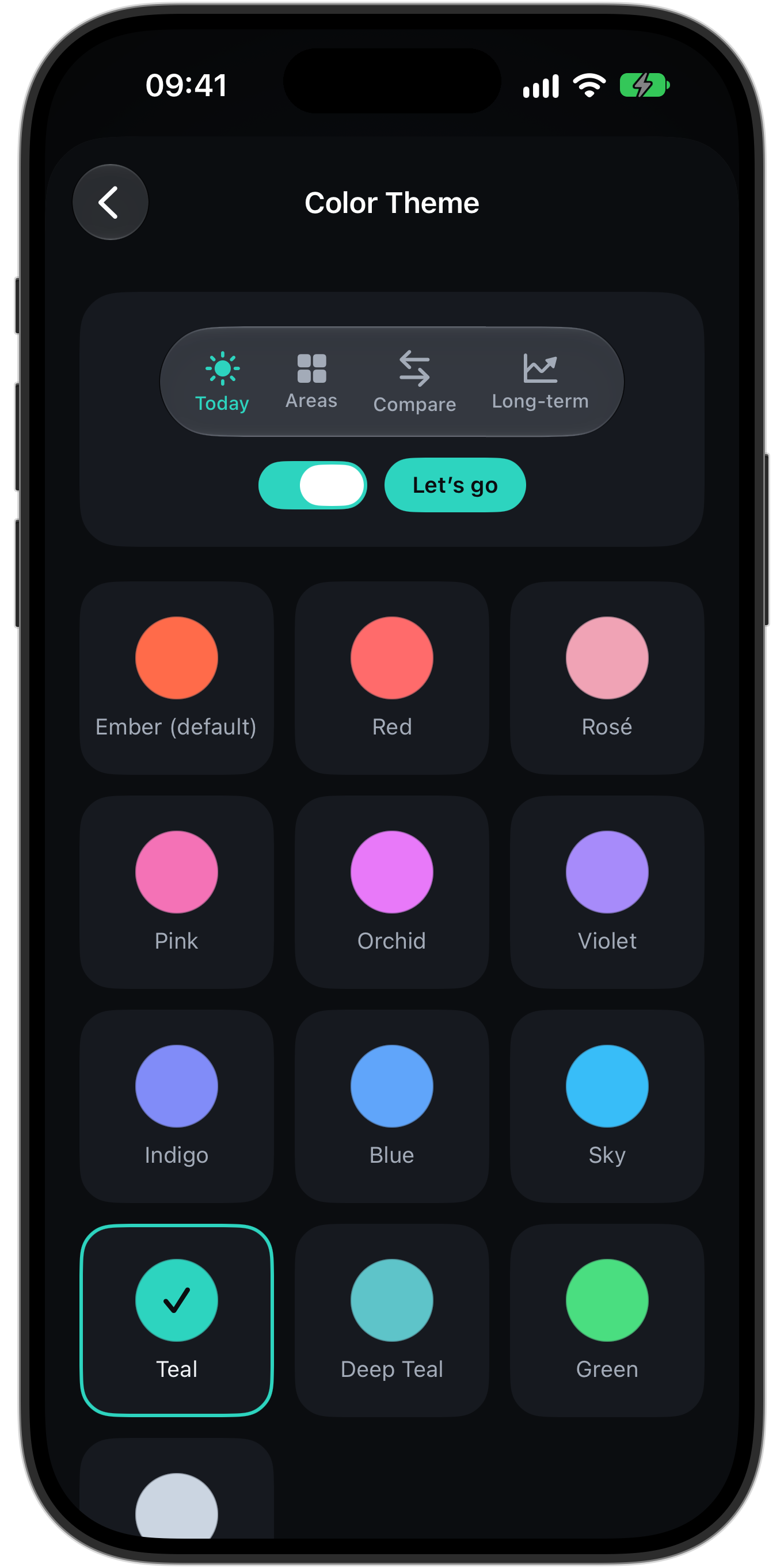
- Liquid Glass design in light and dark, 13 color themes
- VoiceOver with chart descriptions, large text, reduced motion
- Units by region or individually (kg/lb/st, km/mi, kcal/kJ, °C/°F, mg/dL/mmol/L)
- Goals and appearance synced between iPhone and iPad via iCloud
Pricing
HealthLumio
- Every feature for everyone – nothing is locked
- No ads, no subscription, no account
- Free updates
Optional support
At the bottom of Settings there are three tips as in-app purchases:
- Buy me a coffee
- A big thank-you
- Lifetime Supporter
A tip unlocks nothing.
Technology
| Framework | Swift and SwiftUI, Liquid Glass (iOS 26); core logic in a dedicated Swift package |
|---|---|
| Charts | Swift Charts, with VoiceOver descriptions |
| Health data | HealthKit, read-only |
| Local archive | SQLite in the app container, excluded from backups, protected by iOS file encryption |
| Intelligence | Apple Intelligence (Foundation Models) on the device; optionally ChatGPT or Gemini with your own key, stored in the keychain |
| Lab reports | Vision and VisionKit: on-device text recognition from scan, photo or PDF |
| Doctor’s report | PDF, created locally |
| Widgets & Shortcuts | WidgetKit, App Intents (Shortcuts, controls), Spotlight |
| Apple Watch | Native watchOS app, complications, Smart Stack (RelevanceKit) |
| Sync | iCloud for goals and appearance only – no health values |
| Purchases | StoreKit 2 (optional tips) |
| Analytics & ads | None – no analytics or advertising SDK in the app |
Developer
Patrick Rathjen
Developer & designer · Studio Rathjen, Münsterdorf, Germany
Studio Rathjen is the independent app studio of Patrick Rathjen from Münsterdorf in northern Germany. It builds native apps for Apple platforms with a focus on design, accessibility and privacy.
Quotes
Why HealthLumio
“After my pulmonary embolism, I wanted to understand what my body tells me every day. The data was all there – there just wasn’t an app that showed it to me in a way I could actually use. So I built one.”
On context
“HealthLumio shows what’s there, puts it into context with reputable sources and leaves the rest in the hands of people and their doctors.”
On privacy
“Health data is about as personal as data gets. That’s why HealthLumio has no account and no server – there’s simply nowhere for the data to go.”
On being an independent developer
“Without investors and without subscription pressure, I can make decisions based solely on what helps the people who use the app. Many features came straight from their feedback.”
All quotes may be used in your coverage. Source: Patrick Rathjen, developer of HealthLumio.
From the App Store
“Very nice overview and representation of your apple health data! I like especially the report …”
“Innovative, clear and with lots of ideas and extras.”
“Finally, looking after my health is fun again.”
“I like the overview and the presentation.”
Copy-ready text
Short description
HealthLumio turns your Apple Health data into a calm, personal health dashboard for iPhone, iPad and Apple Watch. The app shows 94 metrics in 15 areas, compares fairly, puts values into context with reference ranges from original sources and creates a report for your doctor – all on the device, with no account and no tracking. Free on the App Store.
Standard description
HealthLumio turns your Apple Health data into a calm, personal health dashboard. The app by Patrick Rathjen (Studio Rathjen, Germany) shows 94 metrics in 15 areas – from activity, heart and sleep to blood pressure, body measurements and daylight – with fair comparisons, long-term trends over many years and reference ranges, each linked to its original source. Daily form shows every morning how recovered you are, “Your age” compares health, fitness, heart and blood age with large studies, and more than 60 lab values can be read straight from a lab report. Before a doctor’s appointment, it creates a detailed PDF report on request. The companion Lumi guides you through setup and answers questions about your own values with Apple Intelligence on the device. HealthLumio runs on iPhone, iPad, iPhone Duo and Apple Watch, offers 15 widgets and is available in 15 languages. No account, no server, no ads, no tracking. Free on the App Store: https://apps.apple.com/us/app/healthlumio/id6819006257 · https://healthlumio.com
About Studio Rathjen
Studio Rathjen is the independent app studio of Patrick Rathjen from Münsterdorf, Germany. It builds native apps for Apple platforms with a focus on design, accessibility and privacy.
FAQ
Is HealthLumio a medical device?
No. HealthLumio is for information only: it presents the values from your devices, makes no diagnoses and does not replace medical advice. Reference ranges apply generally to healthy adults and are linked to their sources.
Does health data leave the device?
No – with one exception you have to turn on yourself: if you enable ChatGPT or Gemini with your own key for “Ask Lumi”, the question and the values it needs are sent to that provider. By default, Apple Intelligence answers right on the device. Only goals and appearance sync via iCloud.
Which devices are needed?
An iPhone with iOS 26 or later; iPad (iPadOS 26) and Apple Watch (watchOS 26) are optional. The data comes from Apple Health – from iPhone, Apple Watch and any device or app that writes there, such as scales and blood pressure monitors.
Do I need a review code?
No. HealthLumio is free and fully usable without any purchase. To try it without your own data, go to Settings → Data → “Use demo data” for realistic sample values.
May I use the images and texts?
Yes. All images, texts and quotes on this page may be used free of charge for editorial coverage of HealthLumio. All screenshots show demo data, not real health values.
Is an interview possible?
Gladly – email info@patrickrathjen.com, in English or German.
Contact
Patrick Rathjen · Studio Rathjen
Press, interviews and questions: info@patrickrathjen.com
Response time: usually within 48 hours
Downloads
Complete press kit
Logo, Lumi, all screenshots and sample report as a ZIP

Lumi
The companion in five moods, cut out as PNG with a transparent background.
 Lumi waving
Download PNG Lumi happy
Download PNG Lumi winking
Download PNG Lumi excited
Download PNG Lumi celebrating
Download PNG





Screenshots
Framed device images in high resolution as PNG with a transparent background (iPhone 1362 × 2724, iPad 2250 × 2952, Apple Watch 422 × 514 pixels). All screenshots show demo data.
 Today
Download PNG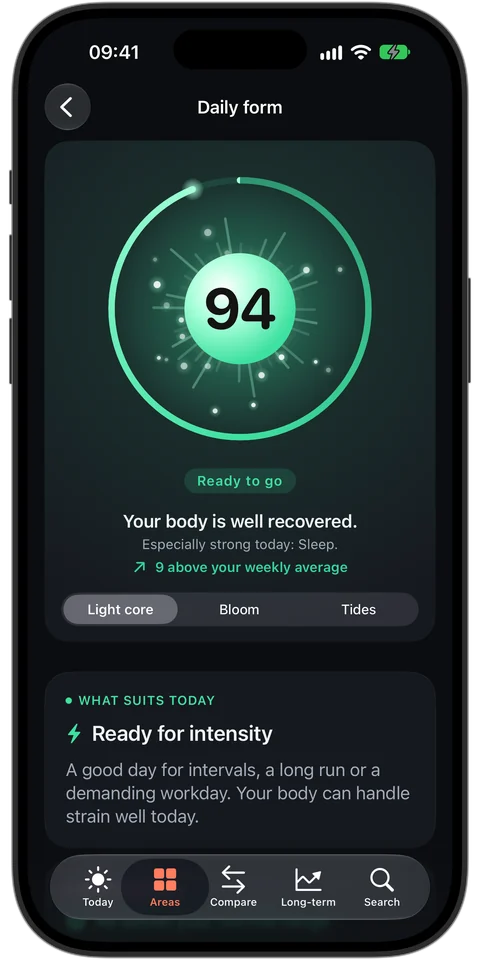 Daily form
Download PNG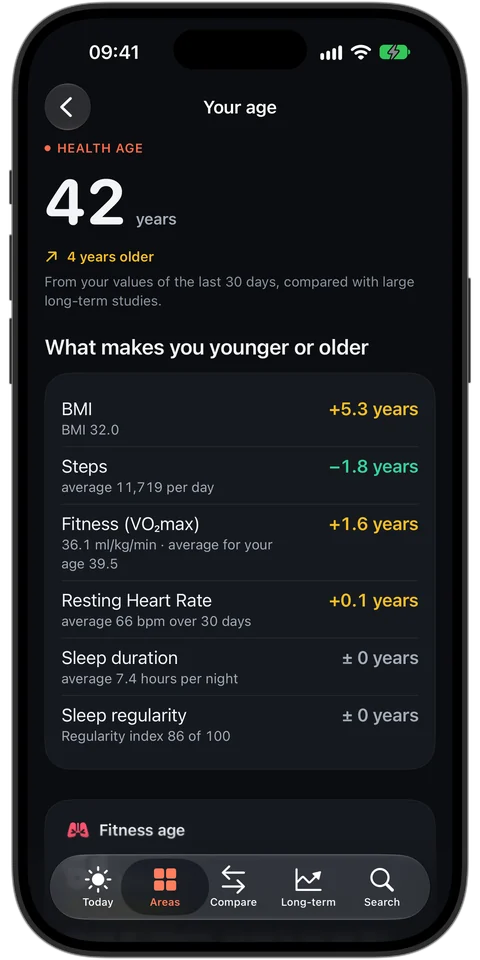 Your age
Download PNG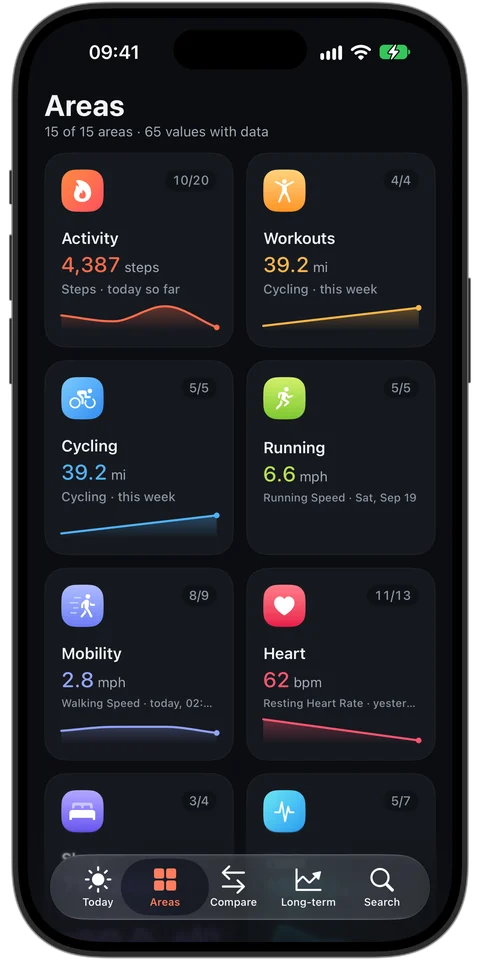 Areas
Download PNG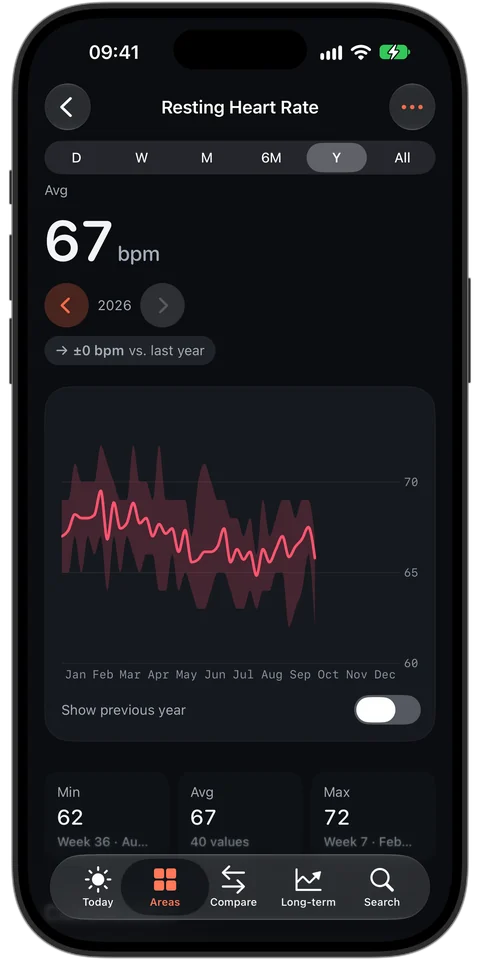 Resting heart rate
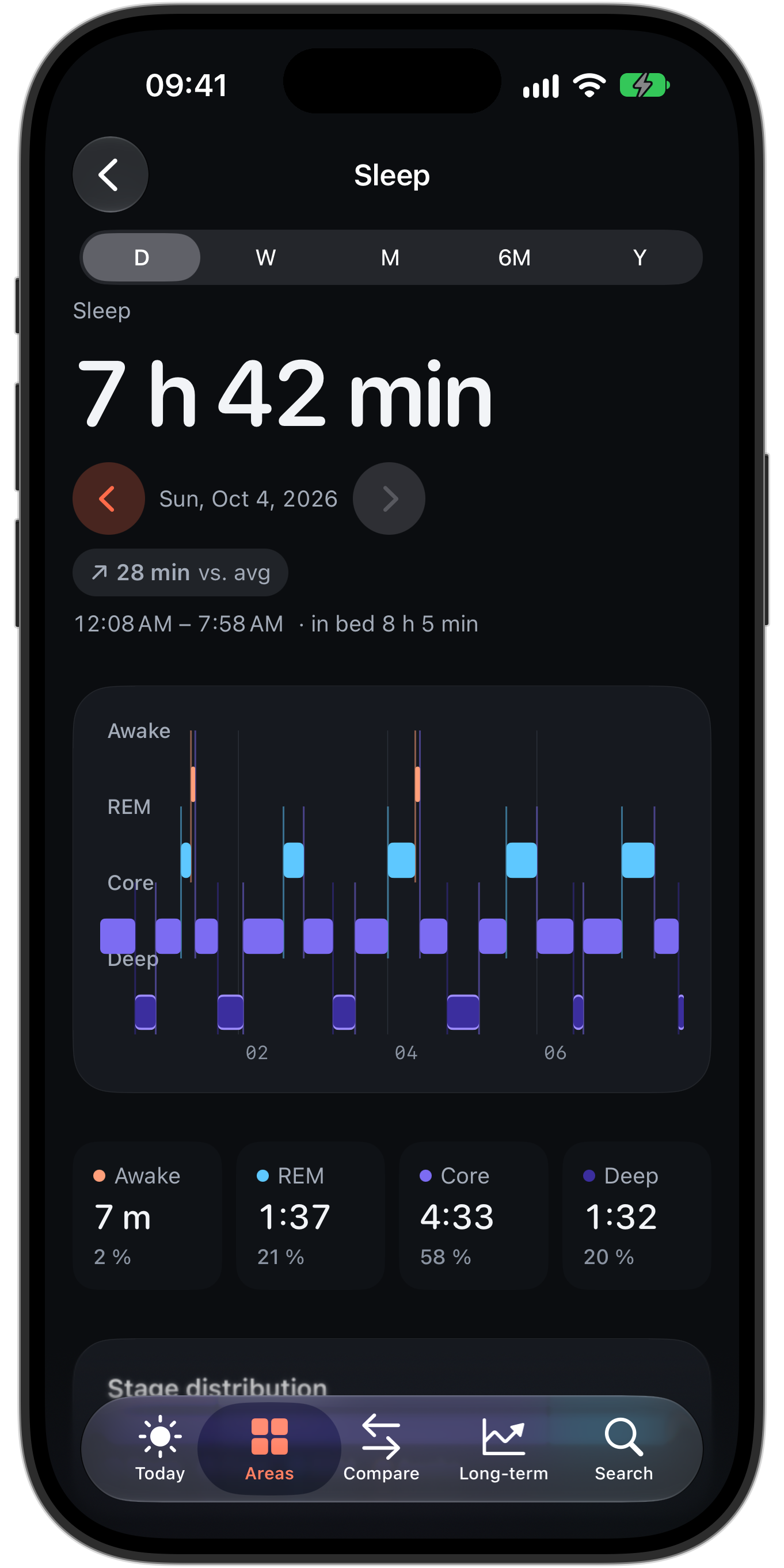
Download PNG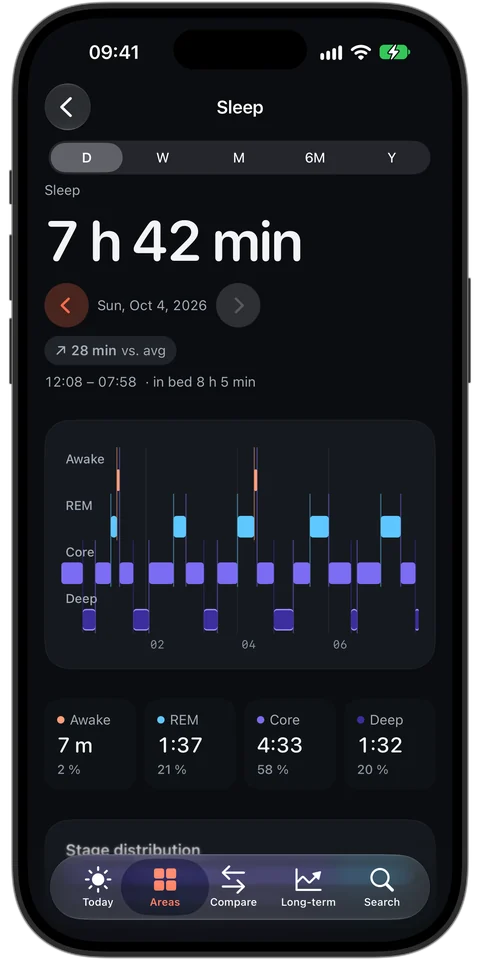 Sleep
Download PNG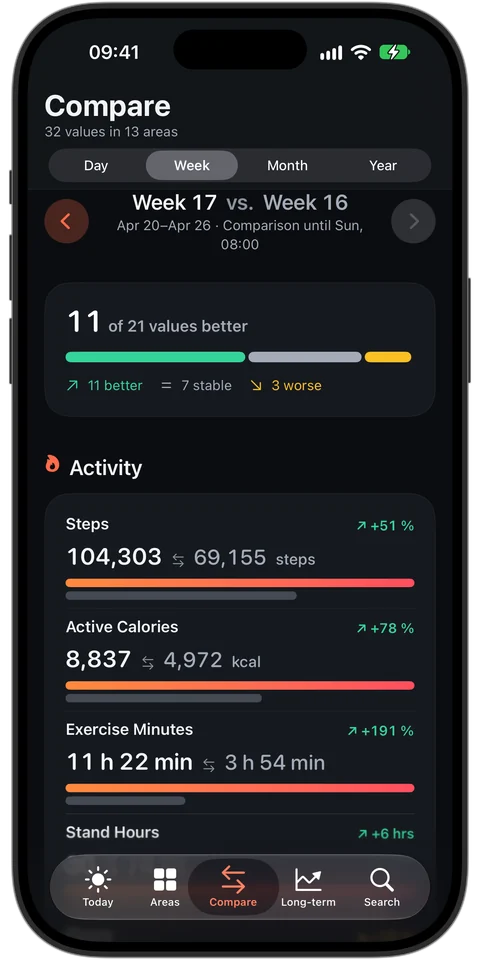 Compare
Download PNG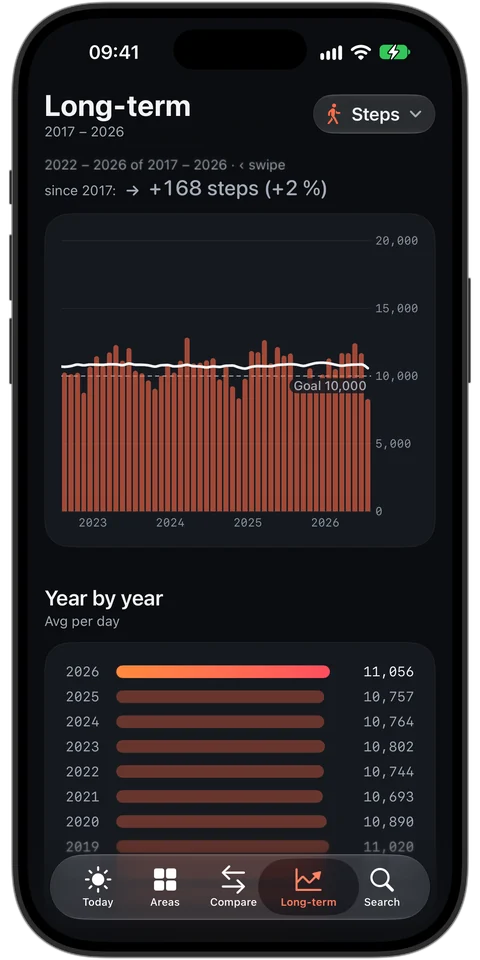 Long-term trends
Download PNG Blood pressure
Download PNG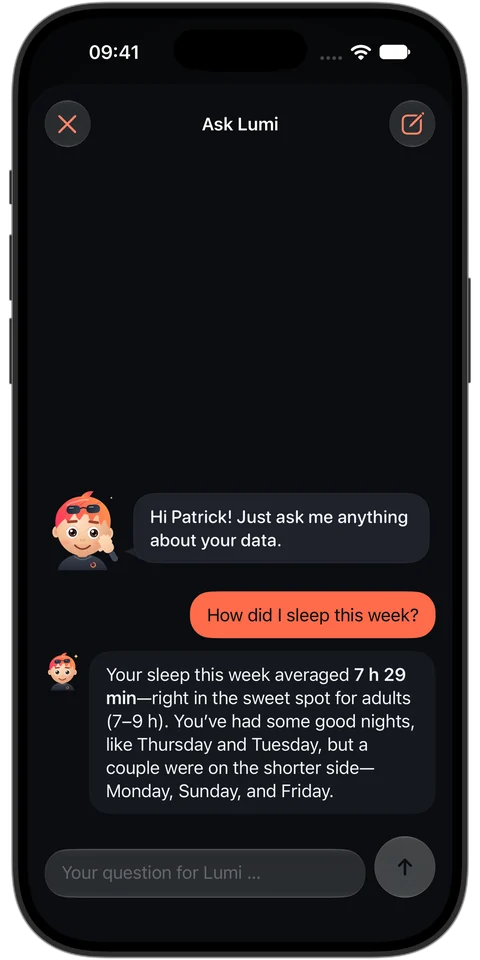 Ask Lumi
Download PNG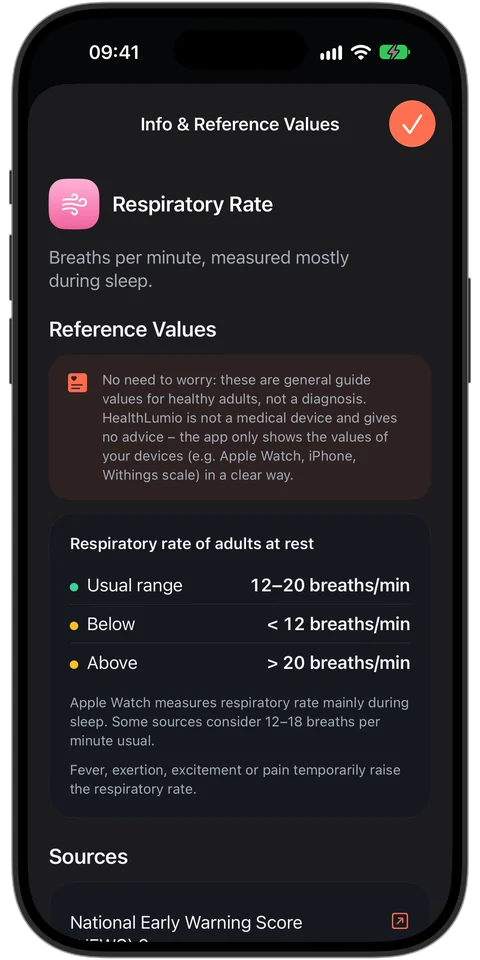 Reference ranges & sources
Download PNG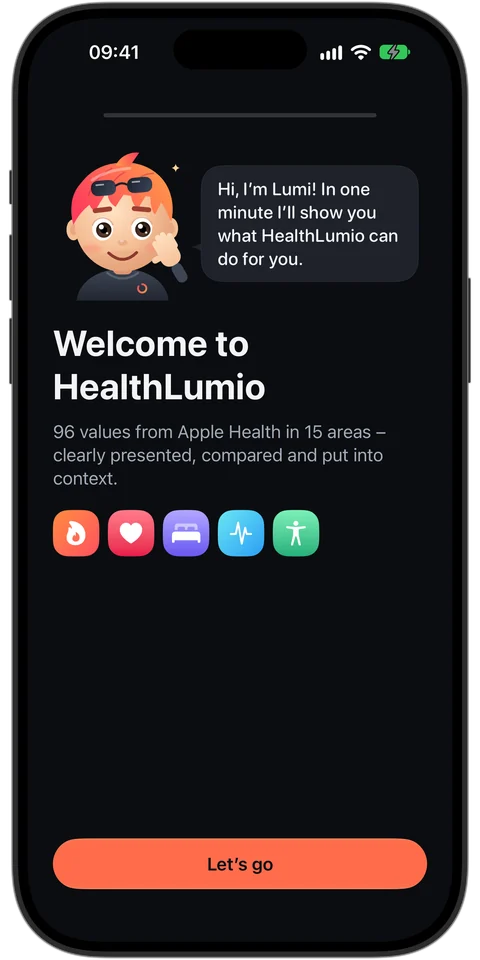 Lumi during setup
Download PNG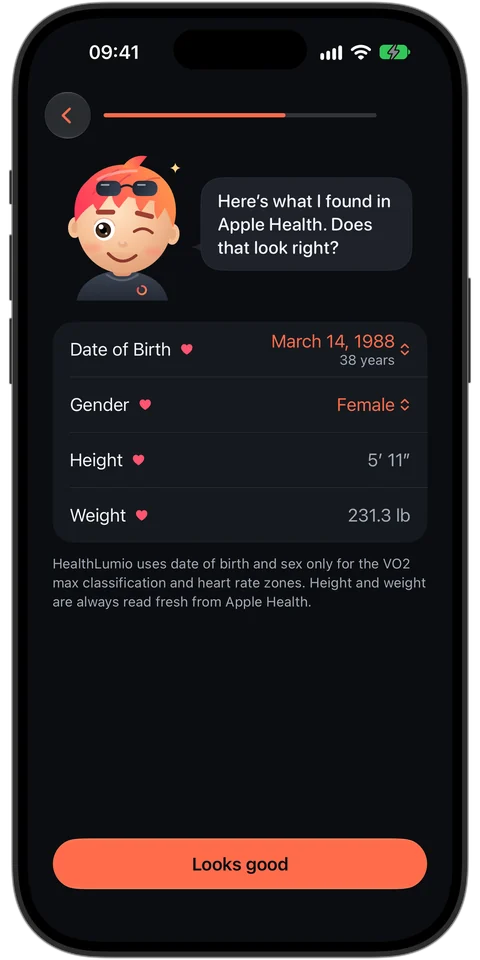 Profile
Download PNG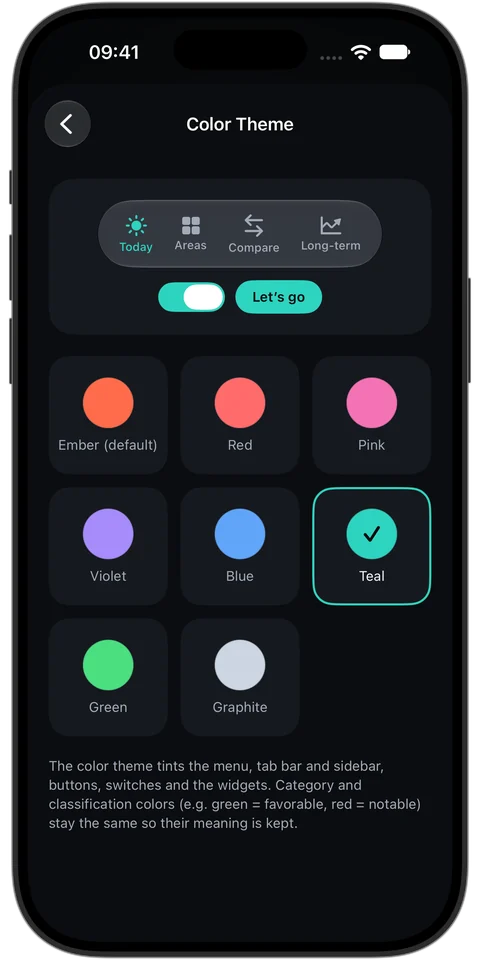 Color theme
Download PNG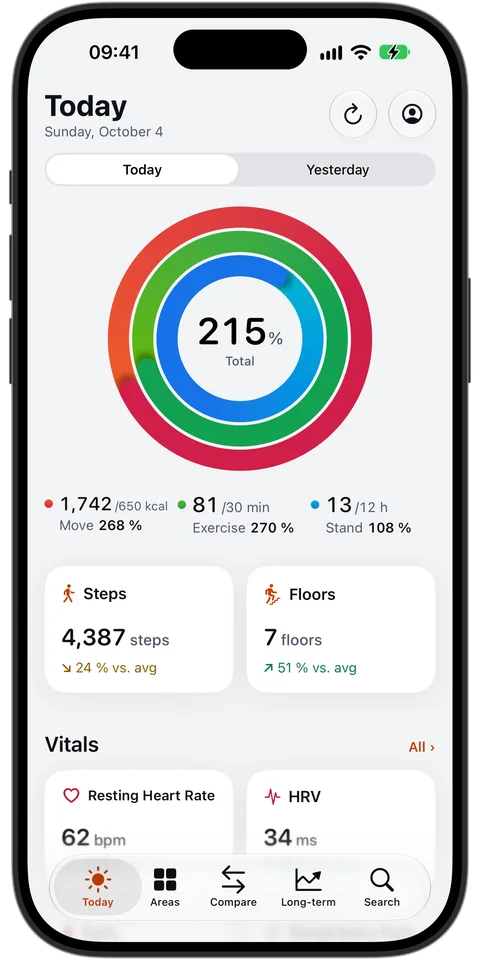 Today (light)
Download PNG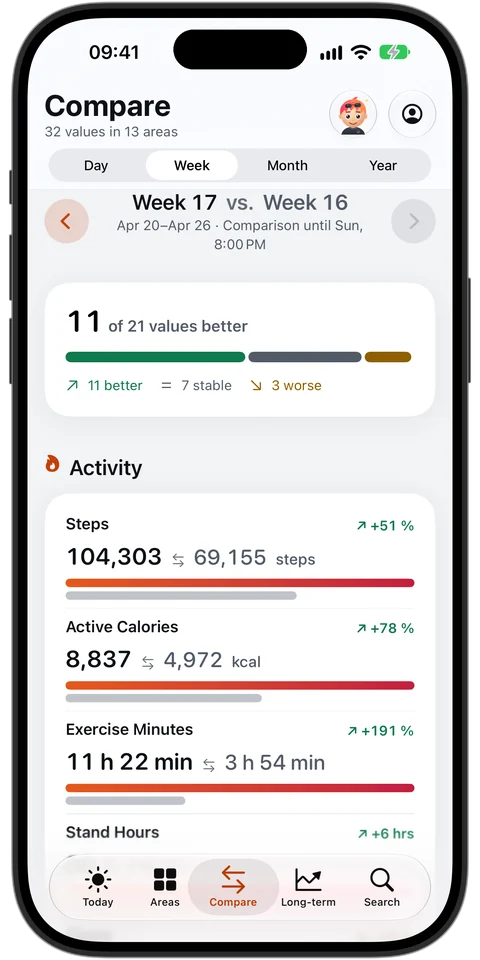 Compare (light)
Download PNG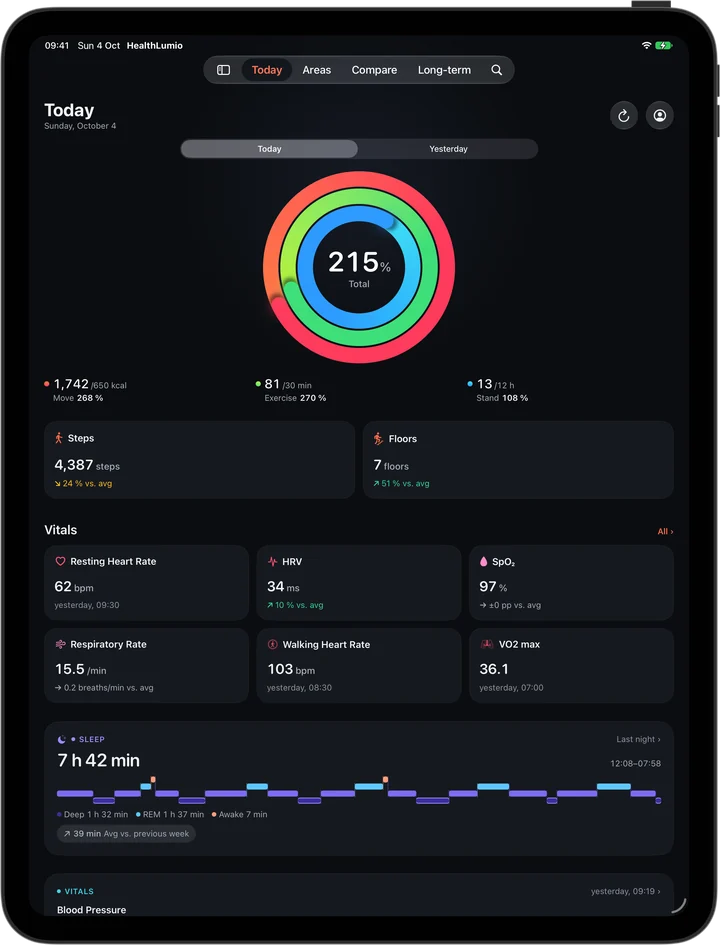 iPad: Today
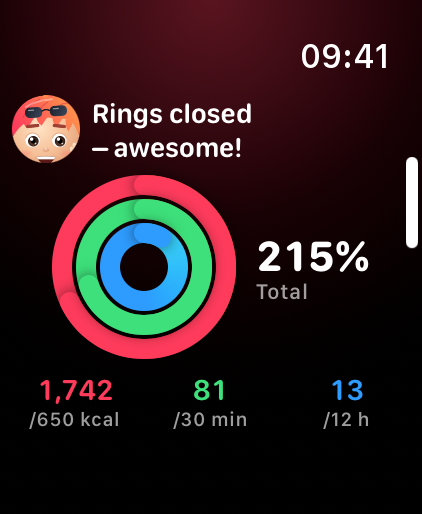
Download PNG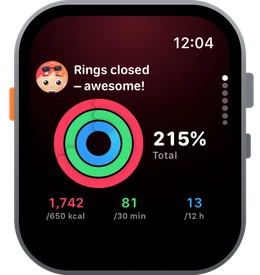 Watch: Today
Download PNG Watch: Daily form
Download PNG Watch: Breathe Along
Download PNG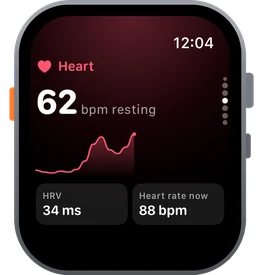 Watch: Heart
Download PNG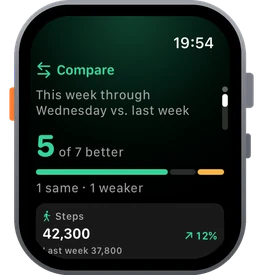 Watch: Compare
Download PNG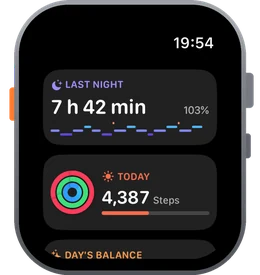 Watch: Glance
Download PNG